
What can Loop Junior do for you? (2nd Edition – Discussion Posts)
Posted Le 16 septembre 2021
Hi Everyone!
In case you missed it, I’m new to Loop Junior and am learning all about the Loop Junior website functions and features that bring people together and enable knowledge sharing.
After getting familiar with the Loop Junior Event Calendar, I was ready to tackle the discussion board. The Loop Junior discussion board seemed like a very dynamic and active place, and that made it a little daunting to start engaging on to this part of the Loop Junior webpage. I wanted to know how best to engage and effectively share information with you. Luckily, I was pointed in the direction of the ‘How to Post on Loop Junior’ guide. This is a simple pathway that helps you decide how and where to post on Loop Junior. So as not to completely regurgitate the guide and its content, here are a few of my key takeaways and I encourage you to take a quick look at the guide for yourself :)
- Remember to use the Search function at the top of your webpage to see if something has already been posted on your topic. You may find the answer you’re looking for, or just the perfect place to ask a follow-up question via posting a comment!
- When you comment on an existing post, it brings it to the top of the Active Discussions list on the Loop homepage where all members will easily see it and can add their input.
- If your topic or question hasn’t been posted about before, go ahead Start a Discussion, and get people talking!
- Let me know how that works for you or if you have difficulties. I will be happy to help.
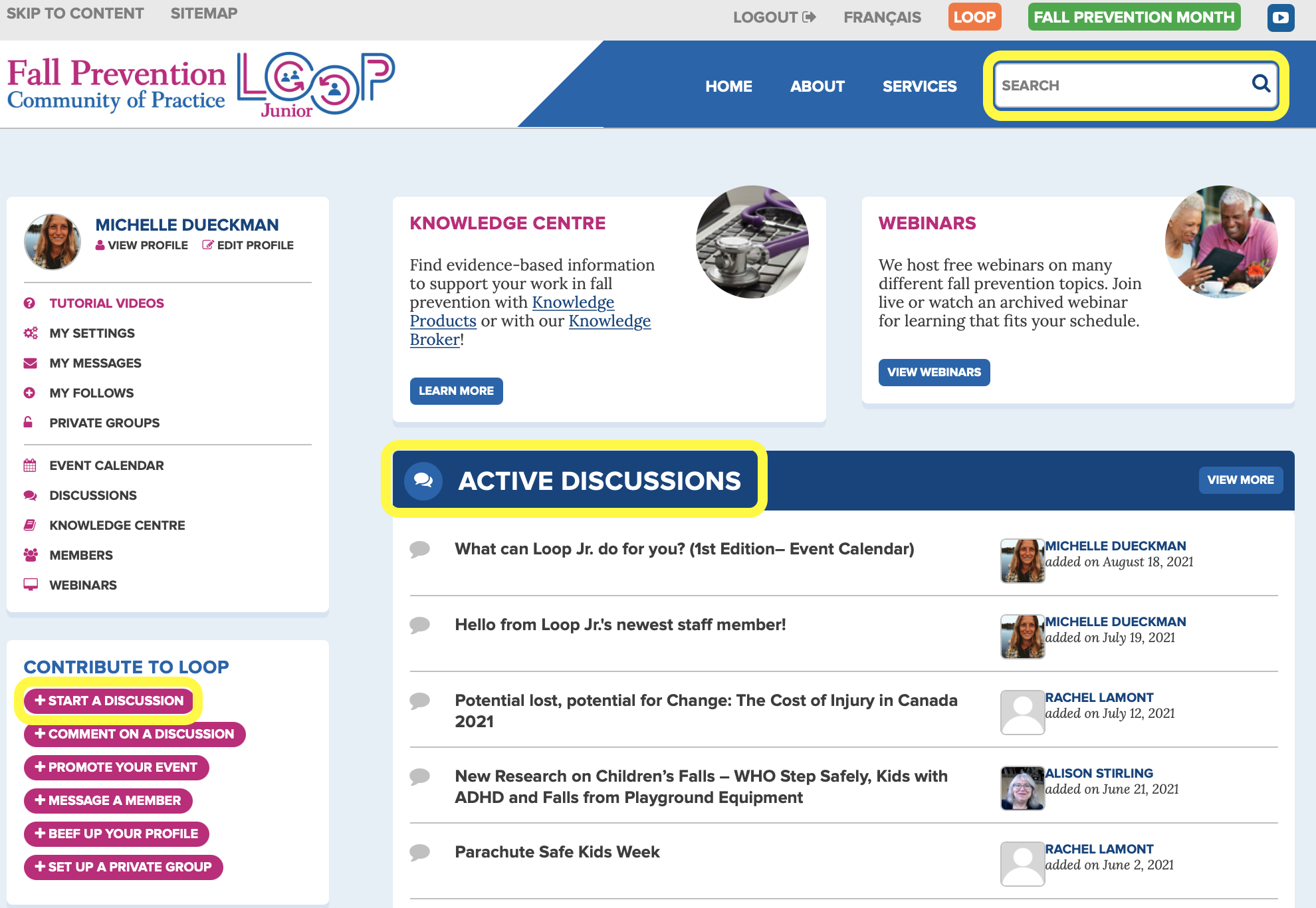
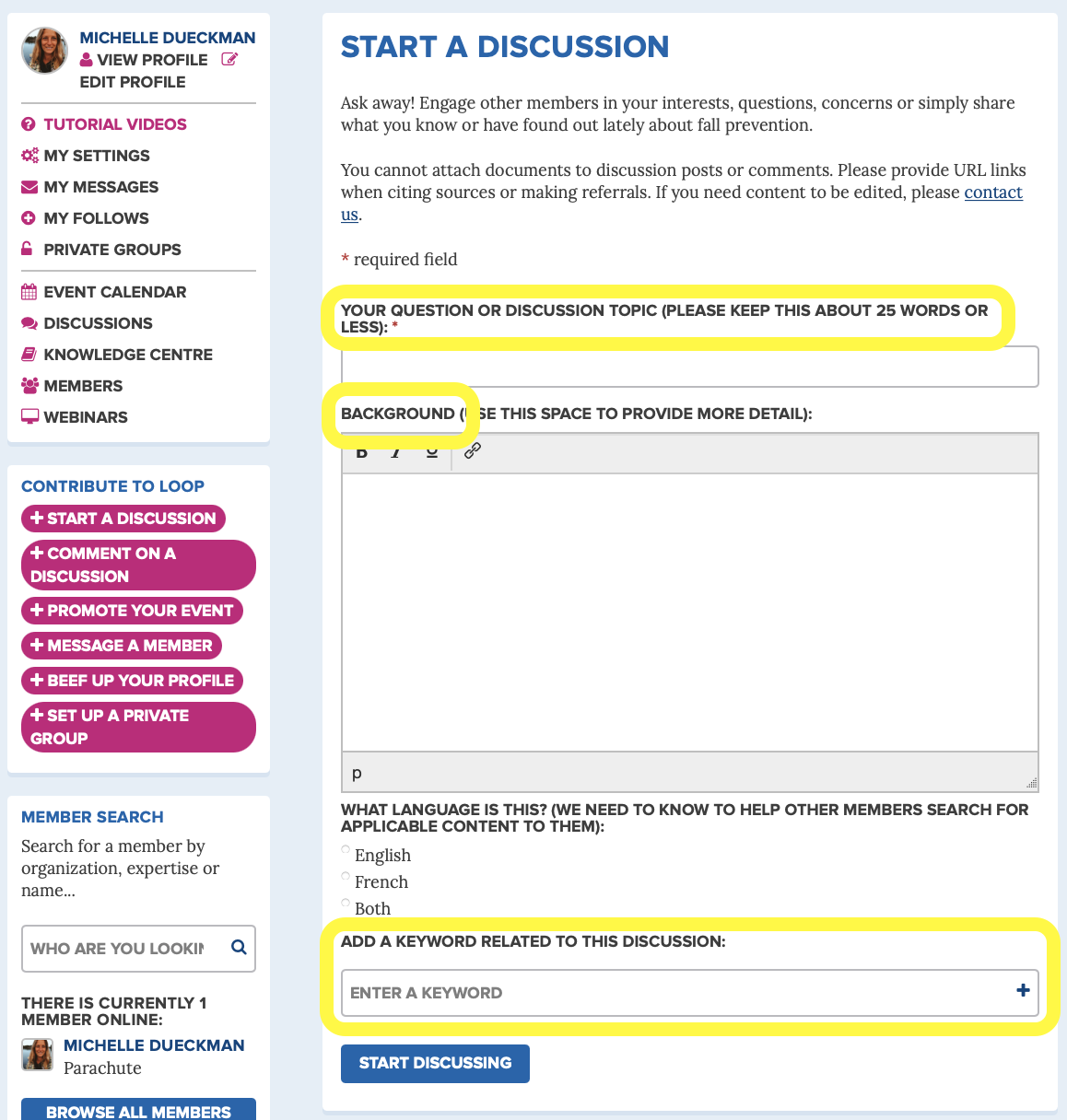
So, now you you’ve decided to start a discussion post. The ‘How to Post on Loop Junior’ guide has tips for that too! Here are my favourites:
- Give your Discussion Topic or Question a straightforward title.
- When providing the Background, stay on topic and be concise.
- Add Keywords to make your post easier to find for other members.
- If you realize after you posted your question that you made a mistake or typo, let me know and I can easily fix it for you.
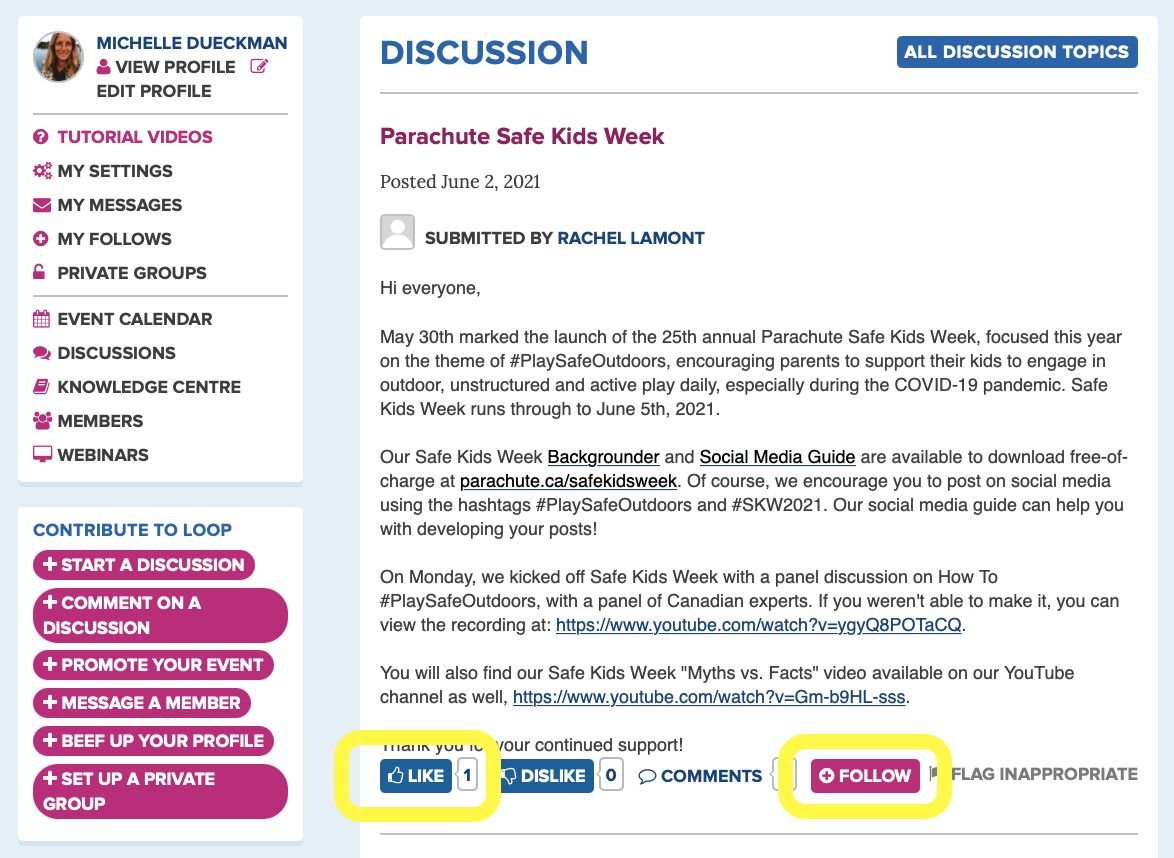
My last tip for you, remember that you can Like and +Follow posts and comments. So even if you don’t have anything written to contribute, show your engagement and support by hitting the Like button or click +Follow to receive notifications when other contribute to the discussion post :)
* clicks Like on her own post *
If you have any questions about the Loop Junior discussion board (or the Loop Junior website in general), let me know and we can find an answer together.
Cheers!
Michelle
Over the next few weeks, I will be showcasing various website functions and features by sharing my learnings with you. If you can’t handle the anticipation between posts ;), feel free to explore the website on your own or review the brief Loop Junior Tutorial videos posted on the Loop Junior website.